
Updating LSI 9305-16i Firmware on Linux (16.00.12.00)
This process is a lot more annoying than it should be because the firmware is only available from absolutely awful manufacturer sites. I have gone through the pain for you.
This process is a lot more annoying than it should be because the firmware is only available from absolutely awful manufacturer sites. Broadcom. :(
You will need these two files:
I'm not even going to bother linking to the Broadcom pages I found them on because they seem to change URLs every two weeks. Download them both. This is the latest firmware I could find as of May 2025.
sas3flash is the utility to flash the firmware, the first zip contains the Windows update package, with the firmware you need in the folder named that.
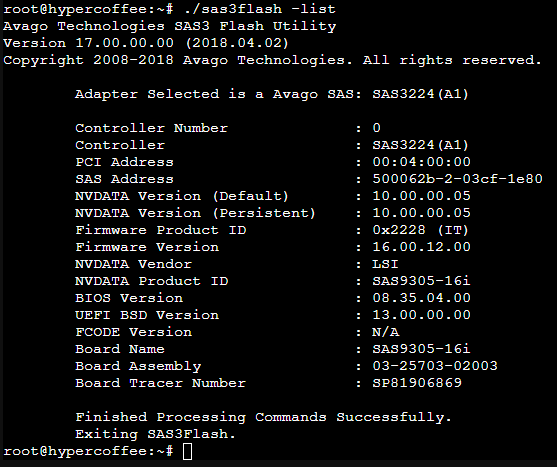
Check your HBA connection with ./sas3flash -list, verify that you have the same product ID as me; otherwise this will be the wrong firmware for your device. Beware: this is the IT mode firmware (full disk pass-through), this is NOT a RAID firmware update.
Unmount the file systems of anything attached to this HBA, then run ./sas3flash -o -f Firmware/SAS9305_16i_IT_P/SAS9305_16i_IT_P.bin. It will do everything by itself past this point.
This may work immediately, but I had to reboot the system after the update for the card to properly restart and work again. Enjoy.